V12.1 an unusual export
As the blogging-season officially started I wanted to take the “non-traditional” tour. A lot of my peers are making blogs on the main features like the inline detection or the scanning mechanism built in in our new version. And if we look at the clickdemo on our site it looks like I’ll be out of work soon :-).
https://www.veeam.com/whats-new-backup-replication.html
Sooooow…. let’s try an alternative approach and blog about the small nice things that are a little bit hidden under the surface. For instance my own preferred feature… It was added in VBR 9.5U4 for the first time and actually I requested this feature in my early days when I was still a client. The funny fact… I never used it in a real production as I’ve joined the Veeam-team when 9.5U4 came out :-). It’s called “export backup”.
Where did it come from?
For the “one time backup” or “just another to be sure backup” we have the feature called “quick backup“. A feature that is very frequently forgotten btw and also appears extremely likely on a vmce-exam!
Now imagine you work in some sort of a project and when you start a clean instance it is called “version1”. During the development phase you go to “version2” after some days and you’ll need a new clean “version2” backup for whenever something happens with the environment (or during the development) that you’re not obligated to jump back all the way to V1… Quickbackup can do that for you… but what if… you’re on holiday or the dev-team has forgotten to tell you it was 2days ago…
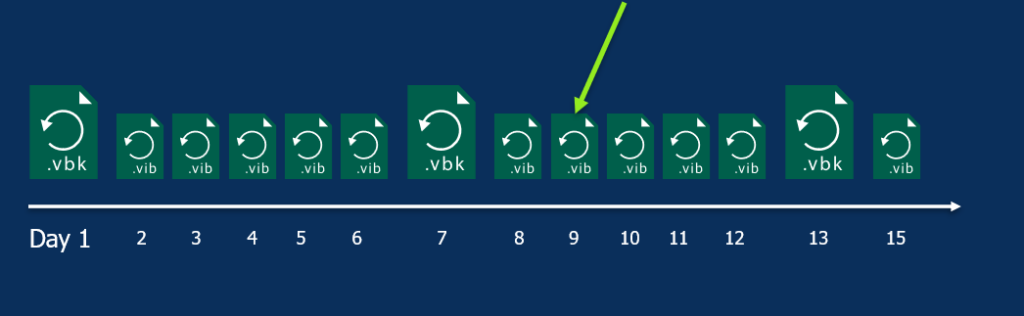
Export backup will pull out all information from the restore points and consolidate it in 1 new restore point. Since V12 you can assign a retention on it so that it gets deleted after x time.
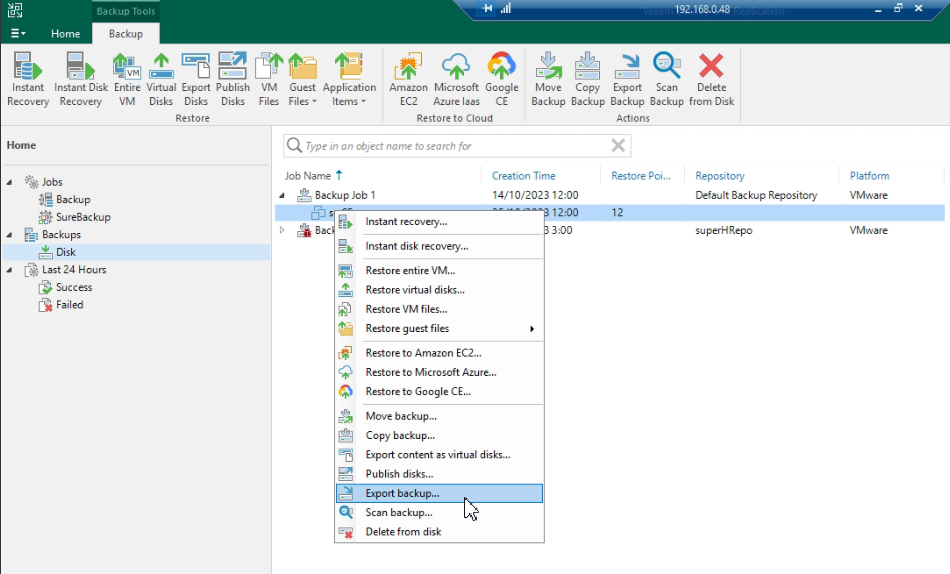
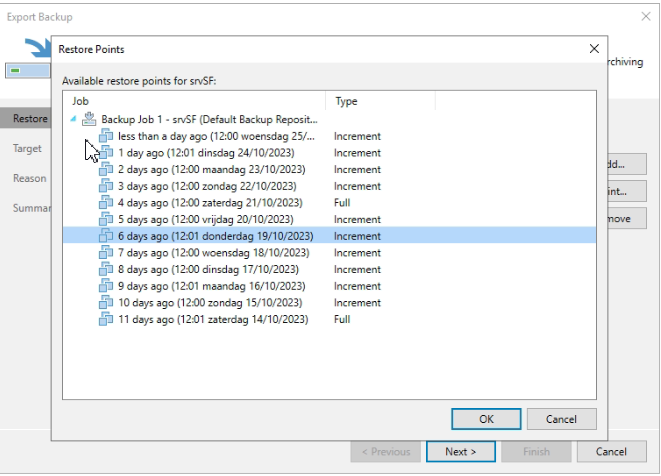
What is new?
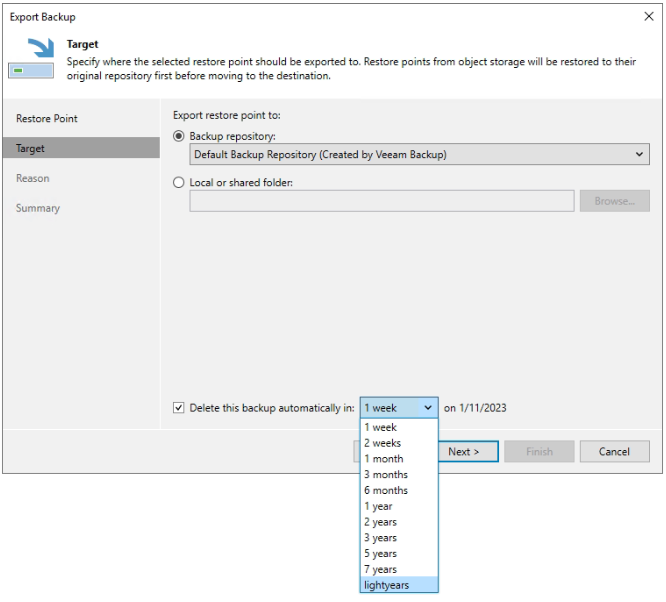
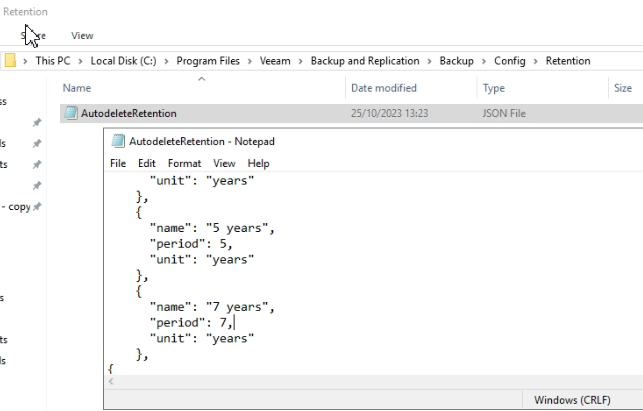
Not sooooo much, but for features like export backup, quickbackup, veeamzip, move and copy you’ll be able to assign your own dedicated policies. Assign names like “silver policy” instead of a fixed amount of choices with their fixed and assigned days/months/years.
How to do it?
Pretty simple, just change a json file. Either replace one of the possibilities, or add your own, but take note of the “,” !!! I’ve missed it and it took some time before I realised why it didn’t appear in the dropdown ;-).
For beta-testers: yes, you did nothing wrong… no, it did not appear. Just reboot the server. It is planned to be fixed in GA 😉