Report suspicious backup file size
I don’t like too much those uber-technical blogposts, and certainly don’t like all those about fancy scripts and “development-stuff”… so I’m going to dedicate my first real blog-post to… a technical PowerShell script … #roflol…
Someone recently asked in our internal Teams Veeam MVP chat the following question: “Can somebody please integrate VONE’s Suspicious Backup file size and job duration alarm into VBR?”.
And indeed, why not… There are multiple reasons why we should worry about sudden growth of the environment. Some enduser is doing something he isn’t supposed to be doing, a project is taking (a lot) more space than expected,… or you are being hit by an encryption mechanism… V-One is there to help you, with reports and alerts, but also potential actions linked to those alerts!(shutdown,email,…)
Steve (aka Stephan Herzig) basically instantly jumped to his PowerShell console with this idea and came up with an excellent idea. He also combined with an older idea to put messages into the vbr-server.
The script is nice, and comprehensible to understand. The implementation wasn’t documented while starting this blog, but was unclear how to implement for non-technical people…
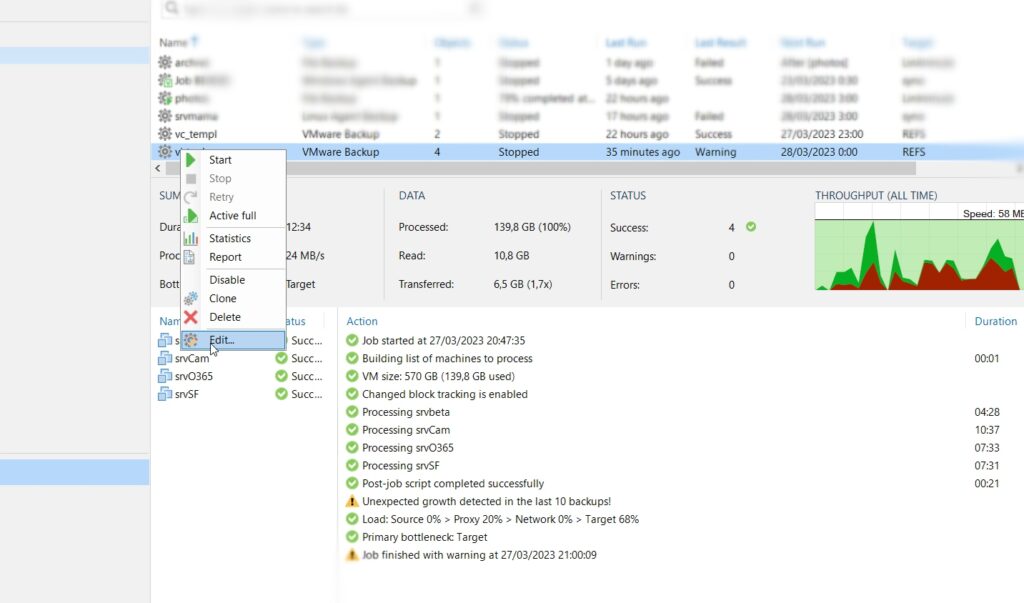
First thing: download the above script and start editing your job.
Second step: add it in the post-processing-scripts, and add the “depth” and “growth” as obligated parameters.
Depth (mandatory) The number of incremental backups to be used for the analysis

Growth (mandatory) Percentage as decimal number. Example: 1.7 equals 70 %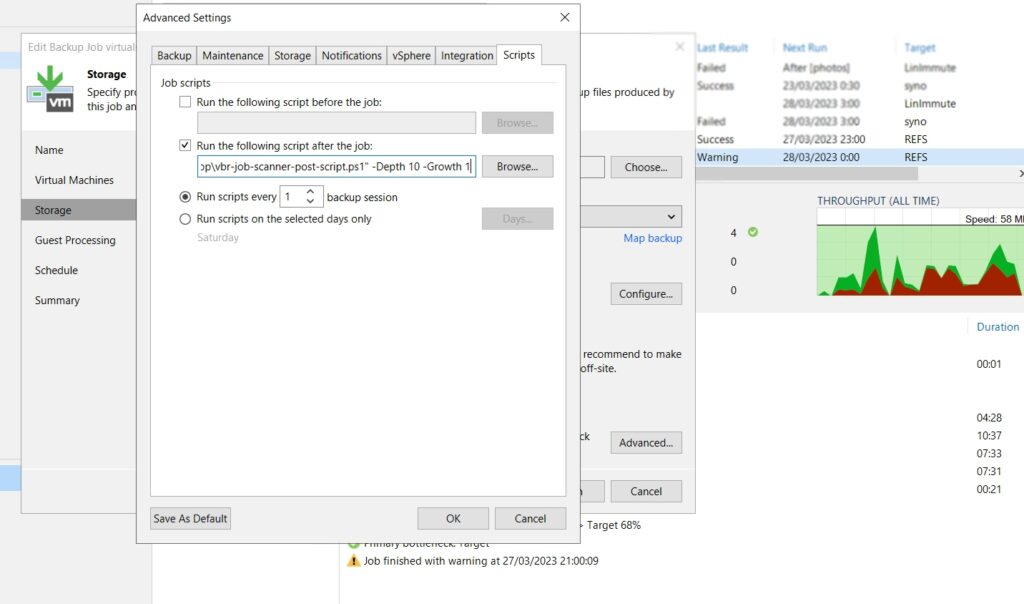
When the backupjob runs it will loop over previous backups and detect any abnormal growth… as my lab-environment is rather static I minimized it.
The magic happens at the very last lines of the script:
# Check if any of the last 5 backups are more than 50% larger than the average
if (($lastValues | Where-Object { $_ -gt $average * $Growth }).Count -gt 0) {
    $BackupSession.Logger.AddWarning("Unexpected growth detected in the last $Depth backups!")
} else {
    $BackupSession.Logger.AddSuccess("No unexpected growth detected in the last $Depth backups.")
}
So if there was a sudden increment (or you applied an always-true thresholds like me) you’ll see a warning appearing:

so… key take-aways… get V-One if you don’t have it yet as everything is in there (Suspicious Backup file size and job duration alarm). If you really want to script there is an alternative to add warnings through scripts as the information is available through our (open) object model.
More scripts by Steve are likely going to follow on our community: https://community.veeam.com/script-library-67/vbr-job-scanner-ps1-veeam-backup-replication-report-suspicious-backup-file-size-4511#post38101